If you are searching for Lyria 3 Pro, you are usually trying to answer one of five questions fast:
- What is the difference between Lyria 3 and Lyria 3 Pro?
- Can it generate full songs instead of short clips?
- Does it support vocals, lyrics, and structured sections?
- Where can you actually use it right now?
- Is it good enough for videos, podcasts, ads, and creator workflows?
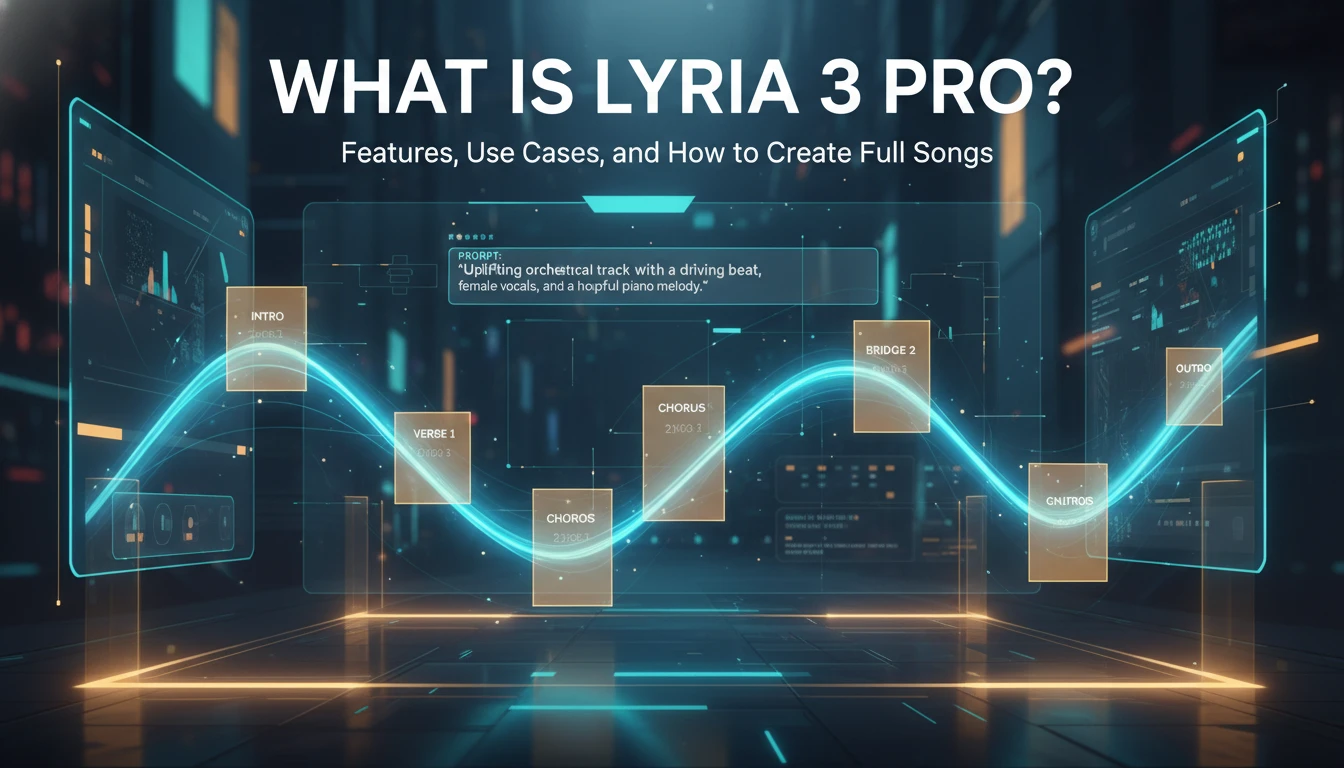
As of March 25, 2026, Lyria 3 Pro is the longer-form version of Google's latest music generation stack. It extends the original Lyria 3 experience beyond short tracks and adds better structural awareness, so you can ask for sections like intros, verses, choruses, and bridges instead of hoping a single prompt turns into a coherent song by accident.
For most creators, that is the real reason this model matters. Short AI music clips are useful for testing ideas, social snippets, and quick moodboards. Full songs are useful for actual production work. If you want a browser workflow built around that experience, you can try Lyria 3 Pro.
What Lyria 3 Pro actually is
Lyria 3 Pro is the full-song variant in Google's current Lyria 3 family. It sits above the short-form clip workflow and is meant for users who need more than a catchy 30-second result.
In practical terms, Lyria 3 Pro gives you three upgrades that change how you use AI music:
- Longer generations: It can generate tracks up to about three minutes long.
- Better structure: It understands section-level composition more reliably.
- More useful control: It responds better when you ask for specific arrangement details.
That changes the job it can do. Lyria 3 is enough when you want a quick concept. Lyria 3 Pro is the version you reach for when you want something that feels closer to a complete piece.
| Model | Best for | Typical output | Main strength | Main tradeoff |
|---|---|---|---|---|
| Lyria 3 Clip | Quick ideas, social snippets, experimentation | Around 30 seconds | Speed and low-friction generation | Too short for complete song workflows |
| Lyria 3 Pro | Full songs, creator production, more deliberate prompting | Up to about 3 minutes | Structural awareness and longer compositions | Still needs iteration and prompt discipline |
What changed from Lyria 3 to Lyria 3 Pro
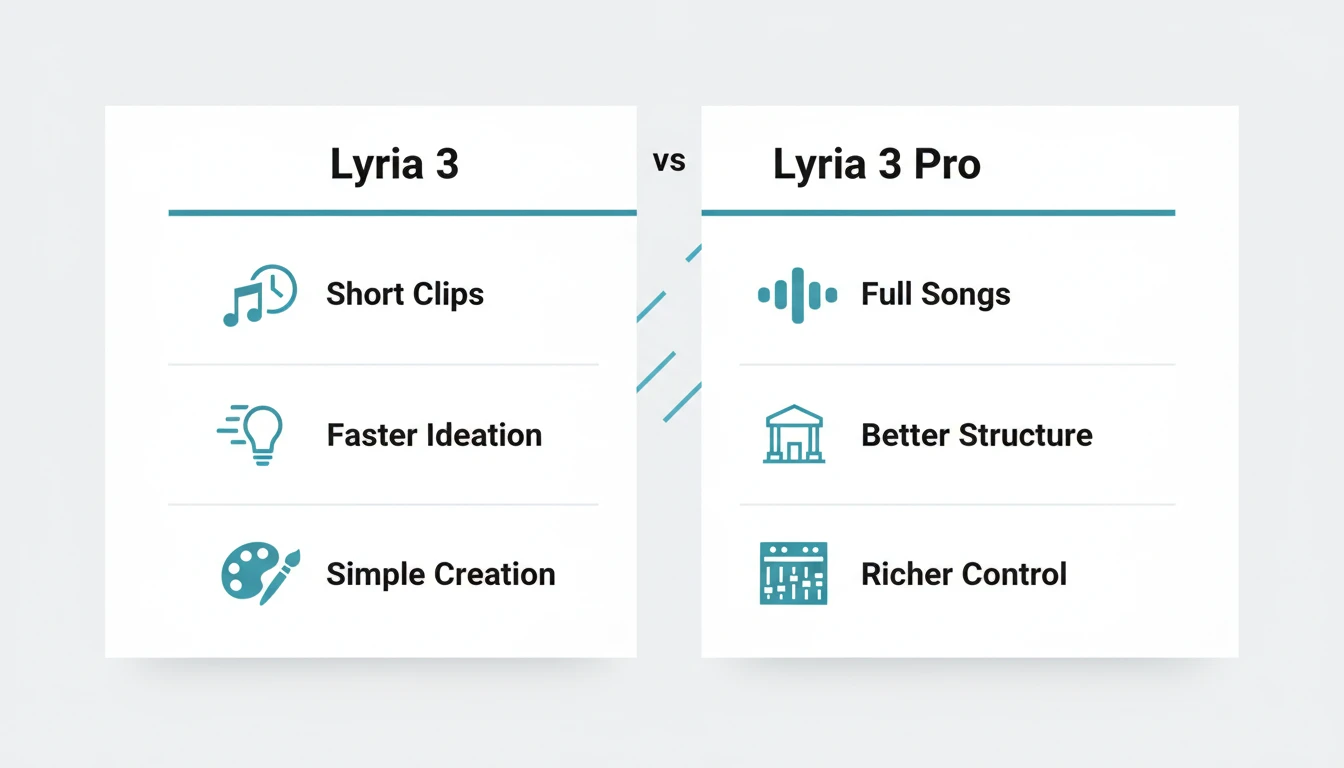
The original public Lyria 3 rollout in the Gemini app focused on 30-second music generation from text or images. That was useful, but it clearly favored fun, fast expression over full composition. Lyria 3 Pro changes that balance.
Here is the short version of the upgrade:
| Capability | Lyria 3 | Lyria 3 Pro | Why it matters |
|---|---|---|---|
| Track length | Short-form clips | Longer tracks up to about 3 minutes | You can build something closer to a complete song |
| Song structure | Limited by short duration | Better awareness of intros, verses, choruses, bridges | Prompts can describe arrangement more directly |
| Use case | Casual creation, rapid ideation | Creator workflows, richer demos, production-oriented drafts | Better fit for podcasts, videos, and full themes |
| Product reach | Gemini rollout and core surfaces | Expanded into more Google products and developer tools | Easier to use in both consumer and professional contexts |
This is the deeper reason search interest around lyria 3 pro exists at all. People are not only looking for a new model name. They are looking for a model that solves the biggest complaint around early Lyria 3 use: great realism, but not enough room to develop the idea into a full track.
Where you can use Lyria 3 Pro
Lyria 3 Pro is no longer just a single demo experience. Google has expanded it across multiple product surfaces, and each surface serves a different kind of user.
Gemini app
Gemini is the simplest place to start if you want a conversational workflow. It is useful for:
- fast concepting
- personalized songs
- vlog and podcast ideas
- lightweight creator experimentation
The important distinction is that longer Lyria 3 Pro generations in Gemini are tied to the paid subscriber experience, not the basic short-form beta workflow that introduced Lyria 3 in February 2026.
Google AI Studio and Gemini API
This is the better fit for builders and power users. It matters if you want:
- structured prompt experimentation
- app integrations
- custom interfaces for music generation
- more control than a casual consumer UI usually offers
Google positions Lyria 3 Pro in AI Studio as part of a serious creation environment rather than a novelty feature.
Vertex AI
Vertex AI is where the model becomes operational for teams and businesses. It is useful when the requirement is not just creativity, but scale:
- generating soundtrack options for many assets
- building music workflows inside products
- supporting internal tooling for media teams
- producing high volumes of bespoke audio
ProducerAI and other creative surfaces
ProducerAI is the strongest signal that Google wants Lyria 3 Pro to be used by musicians, producers, and songwriters in a more iterative workflow, not just by casual users making one-off novelty songs.
What Lyria 3 Pro can do well
The most useful way to think about Lyria 3 Pro is not "AI that makes music." That description is too broad to guide decisions. The better question is: what kinds of music tasks does it handle well right now?
1. Turn a plain-language idea into a structured song draft
You do not need to speak in DAW jargon to get started. You can describe:
- the genre
- the mood
- the tempo feel
- the vocal type
- the lyrical theme
- the section flow
That makes Lyria 3 Pro especially useful for non-musicians and cross-functional creators who need music output without learning full production software first.
2. Generate vocals and lyrics around a subject
This is one of the most practical upgrades in Google's current Lyria stack. You can ask for:
- a lyrical theme
- a specific vocal style
- a male or female singer
- a different language
- your own supplied lyrics
That opens the door to more than background loops. You can draft complete vocal tracks for story-driven content, parody songs, marketing hooks, and creator-first music experiments.
3. Work from images, not only text
Lyria 3 supports image-to-music prompting, and that matters more than it sounds. A lot of creators know the visual mood they want before they know how to describe the audio.
That makes the model useful for:
- video mood matching
- trailer-style drafts
- visual storytelling
- concept art soundtracks
- social creative where image and soundtrack need to feel unified
4. Follow section-aware prompts better than short clip tools
One of the biggest gains in Pro is structural awareness. Instead of getting a generic musical block, you can now think in sections:
- intro
- verse
- pre-chorus
- chorus
- bridge
- outro
That is what moves the workflow from "fun generator" toward "usable drafting tool."
What Lyria 3 Pro is best for
Not every creator needs the same thing from AI music. Some need speed. Some need control. Some need a finished-enough soundtrack that can drop into production with minimal cleanup.
Lyria 3 Pro is strongest when the job looks like this:
| Use case | Why Lyria 3 Pro fits | What to ask for |
|---|---|---|
| YouTube background music | You need a complete track with a beginning, middle, and ending | Genre, pacing, emotional arc, instrumental or vocal |
| Podcast themes and stingers | Structure matters more than novelty | Intro energy, hook shape, runtime target, clean ending |
| Marketing videos and ads | You need fast custom music that matches a brand tone | Mood, tempo, audience feel, section progression |
| Storytelling and animation | Image-to-music and section prompts help shape narrative flow | Scene description, emotional shifts, image references |
| Song demos and ideation | You want to test musical directions before deeper production | Vocal type, song structure, lyrical subject, genre blend |
It is a strong fit for creators who need original, fast, structured music.
It is a weaker fit for users who need:
- stem-level editing
- detailed mix engineering
- traditional multitrack production control
- guaranteed consistency across many revisions without prompt iteration
In other words, Lyria 3 Pro can replace a lot of early ideation and rough composition work. It does not replace a full music production stack.
How to prompt Lyria 3 Pro well
Good results depend heavily on how you prompt the model. The shortest prompt may work, but the best prompts usually include enough detail to shape arrangement, tone, and vocal direction.
The official Lyria prompting guidance points in a clear direction: describe genre, tempo, instruments, dynamics, vocals, and theme instead of writing something vague and hoping the model guesses the rest.
A weak prompt
make a good pop song
This leaves almost everything unresolved.
A stronger prompt
Create a warm, uplifting indie pop song with a female lead vocal, a soft verse, a bigger chorus, light synth textures, clean drums, and lyrics about rebuilding confidence after a hard year. Start intimate, then open up in the chorus.
This works better because it defines:
- genre
- emotional direction
- vocal style
- arrangement movement
- lyrical theme
Prompt ingredients that usually improve results
When you want a more complete song, include as many of these as the workflow allows:
- Genre or blend: indie pop, afrobeat, Motown soul, cinematic folk
- Tempo feel: slow, midtempo, driving, energetic
- Mood: triumphant, wistful, dreamy, playful, tense
- Instrumentation: analog synth bass, strings, acoustic guitar, tambourine
- Vocal identity: breathy female lead, soulful male tenor, layered backing vocals
- Structure: intro, verse, chorus, bridge, outro
- Lyrical theme: summer nostalgia, quiet ambition, product launch excitement
- Constraints: instrumental only, avoid distortion, avoid screaming, no abrupt ending
If you want lyrics
You have two good options:
- Ask the model to generate lyrics around a theme.
- Supply your own lines and make the vocal direction explicit.
If your goal is control, your own lyrics usually work better than fully automatic lyrical generation. If your goal is speed, a clear theme is usually enough to get a usable first draft.
If you want better song flow
Spell out the movement of the track instead of only the style. For example:
- quiet verse, bigger chorus
- stripped intro, energetic hook
- emotional bridge before final chorus
- clean fade or decisive ending
That is one of the most practical differences between average prompts and prompts that actually use Lyria 3 Pro's structural strengths.
The most useful controls inside Lyria 3 Pro
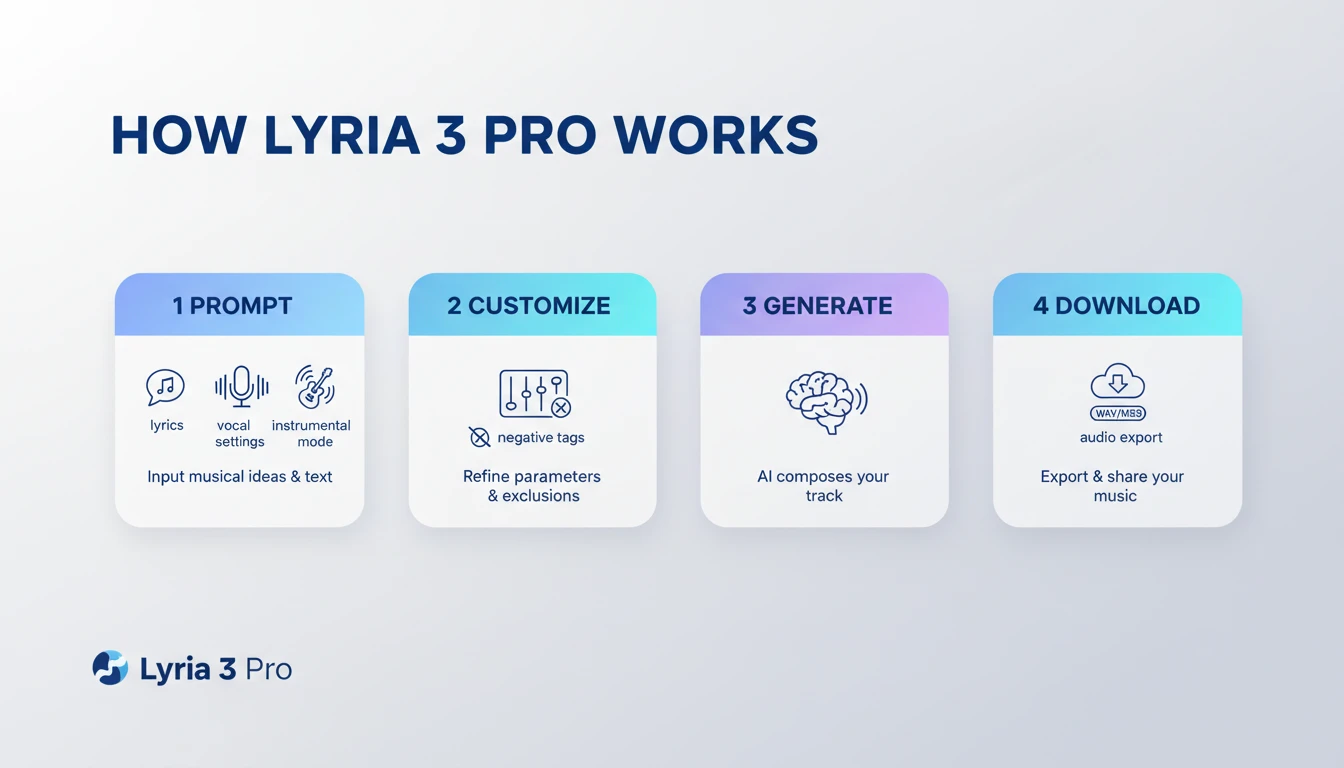
One reason Lyria 3 Pro works better than a basic one-box prompt workflow is that it exposes more useful controls for shaping the result. On a practical page-level workflow, these settings matter more than small wording changes in your prompt.
| Control | What it does | Best time to use it |
|---|---|---|
| Title | Gives the track a clearer identity before generation | When you want a more intentional vocal song or repeatable concept |
| Style | Defines genre, pacing, and musical texture more precisely | When the first generation feels too generic |
| Lyrics | Lets you supply your own words instead of relying on auto-generated lines | When message clarity matters more than speed |
| Vocal gender | Steers the performance character | When a brand, story, or audience expects a certain voice feel |
| Instrumental | Removes vocals entirely | When the music must sit under dialogue or voice-over |
| Negative tags | Tells the model what to avoid | When outputs drift toward the wrong genre, energy, or tone |
Why Custom Mode matters
For a lot of creators, the jump from "interesting result" to "usable result" happens in Custom Mode, not in the first prompt box.
Custom Mode is especially useful when:
- the hook is good but the style is wrong
- the lyrics are too vague
- the vocal tone does not match the project
- the music is too aggressive, too busy, or too theatrical
- you need something repeatable for a content series
The pattern is simple:
- get a promising first result
- move into Custom Mode
- tighten style, lyrics, and exclusions
- regenerate with more controlled direction
When to use negative tags
Negative tags are one of the most underrated controls in AI music workflows. They are useful because many prompts fail in predictable ways: the model adds too much intensity, leans too cinematic, or injects stylistic elements you never wanted.
Use negative tags when you want to prevent drift such as:
- heavy distortion
- screaming vocals
- EDM festival energy
- dramatic trailer percussion
- overly bright pop production
This is often faster than rewriting your whole prompt from scratch.
How to create a full song with Lyria 3 Pro
Even if this article is not a pure tutorial, the workflow matters because most searchers are trying to move from curiosity to action quickly.
Step 1. Start with the job of the song
Decide what the track is for before you decide what it sounds like.
Examples:
- background music for a product demo
- a creator intro theme
- a podcast opening
- a complete vocal track for a short film
- a social ad soundtrack
This prevents generic outputs because the model has a practical goal to optimize around.
Step 2. Define the emotional arc
A full song feels complete because it moves. Before you prompt, define:
- where it starts
- where it peaks
- how it ends
If you skip this, you often get music that sounds polished for a moment but does not feel like a finished composition.
Step 3. Choose vocal or instrumental intentionally
Do not leave this ambiguous.
Use vocals when:
- the track needs a memorable hook
- the story matters
- the content is personality-driven
Use instrumental mode when:
- the music must sit behind dialogue
- the video already carries the message
- you want cleaner utility for ads, explainers, and podcasts
Step 4. Prompt the structure directly
This is where Pro earns its name. Ask for:
- a short intro
- a clear verse
- a stronger chorus
- a bridge for variation
- a satisfying ending
You do not need to over-engineer every second. You do need to show the model what a finished arc should look like.
Step 5. Iterate instead of expecting the first pass to be final
This is still AI music generation, not magic. The best workflow is usually:
- generate a clear first draft
- identify what is wrong
- tighten the prompt
- regenerate with more explicit direction
Common fixes include:
- making the chorus bigger
- simplifying the lyric theme
- reducing genre blending
- specifying a cleaner ending
- switching from vocals to instrumental
Common mistakes when using Lyria 3 Pro
Most bad results come from workflow mistakes, not from the model being unusable. These are the errors worth avoiding first:
Mistake 1. Prompting for a genre, but not a purpose
cinematic pop song is not enough. A podcast intro, a product launch ad, and a travel montage can all sound "cinematic pop" while needing very different pacing and structure.
Mistake 2. Asking for everything at once
If you ask for five genres, three moods, two vocal styles, and a complex story arc in one go, the result often loses focus. Start narrower, then expand.
Mistake 3. Letting the model guess the ending
A lot of AI music outputs fail at the ending. If the ending matters, say so directly:
- clean finish
- emotional fade
- hard ending after final chorus
- no abrupt cutoff
Mistake 4. Using vocals when the track should stay in the background
If the song is for dialogue-heavy content, vocals can create clutter. Instrumental mode usually gives a more production-friendly result for tutorials, explainers, and podcasts.
Mistake 5. Treating the first useful output as final
Lyria 3 Pro is best used as an iterative tool. The first pass is usually for direction. The second or third pass is where the result becomes practical.
The biggest limitations you should expect
Lyria 3 Pro is a serious upgrade, but it is still a model with boundaries.
It still benefits from careful prompting
Better structure does not mean perfect structure. If your prompt is vague, the track can still feel generic or underdeveloped.
It is not a DAW replacement
You are not getting full multitrack editing, surgical arrangement control, or mix-by-mix production authority. You are getting faster composition and better draft quality.
Some genres and vocal outcomes still need more iteration
The model can work across many genres and languages, but output quality still varies depending on:
- genre complexity
- vocal demands
- lyric specificity
- how tightly the prompt defines the arrangement
You still need to review the final track for fit
Google explicitly positions Lyria as a creativity tool, not an infallible final arbiter. You still need to check whether the music actually matches:
- your brand
- your audience
- your video pacing
- your emotional intent
Lyria 3 Pro FAQ
Is Lyria 3 Pro only for musicians?
No. It is more valuable for non-musicians than many traditional music tools because the workflow starts from language, mood, and use case instead of theory, notation, or multitrack editing.
Can Lyria 3 Pro create full songs, not just short clips?
Yes. That is the main reason the Pro version matters. The short-form Lyria 3 workflow introduced quick creation, but Pro is the version designed for longer, more structured outputs.
Can it generate instrumental music only?
Yes. Instrumental mode is one of the most practical settings if you need background music for videos, podcasts, courses, demos, or ads where spoken audio is already doing the communication work.
Can I provide my own lyrics?
Yes. If the workflow exposes lyric input, your own lyrics are often the best path when message control matters. This is especially useful for branded content, thematic songs, and recurring creator formats.
Is Lyria 3 Pro good for commercial creator work?
It is useful for commercial creator workflows because it can produce original music quickly and help you avoid stock-library sameness. You still need to review each output for brand fit, pacing, and final production quality.
Who should use Lyria 3 Pro right now
Use Lyria 3 Pro if you want:
- fuller songs instead of short music snippets
- stronger control over structure
- a fast path from prompt to soundtrack
- vocals, lyrics, and image-to-music support in one family
- a workflow that can scale from casual creation to developer integration
Wait or compare alternatives if your top priority is:
- professional stem editing
- extremely detailed arrangement control
- high-confidence genre performance in every niche
- traditional production polish without manual review
Final take
Lyria 3 Pro matters because it fixes the exact limitation that made early Lyria 3 feel too short for serious creator work. The jump from a 30-second clip to a track that can run up to about three minutes changes the model from a novelty generator into something much more useful for content production, ideation, and structured music drafting.
That does not mean every output will be release-ready. It does mean you now have enough length, structure, and control to create music that can carry a vlog, podcast, ad, tutorial, or story-driven video without feeling like a fragment.
If your question is simply, "What is Lyria 3 Pro?", the shortest accurate answer is this: it is the longer-form, more composition-aware version of Google's latest music generation system, built for people who need more than a clip.